Choose the network perspective.
A residential proxy uses an exit associated with residential internet access. Choose it because the task needs that perspective, then verify the result against your own acceptance criteria.
Bring package selection, connection settings and usage into one place. MiProxy helps you prepare a residential proxy connection for authorized developer and research work, with the limits visible before you begin.
A residential proxy uses an exit associated with residential internet access. Choose it because the task needs that perspective, then verify the result against your own acceptance criteria.
Independent checks and multi-step tasks can need different session settings. Use supported rotating or sticky controls, and account for exit availability and the selected allocation’s limits.
Read the quantity, unit, access period and renewal terms together. A bandwidth allowance and a period of access answer different questions.
Your application connects to the supplier gateway using its approved connection details. MiProxy manages the account, order, connection settings and usage view; this application does not relay your proxy traffic.
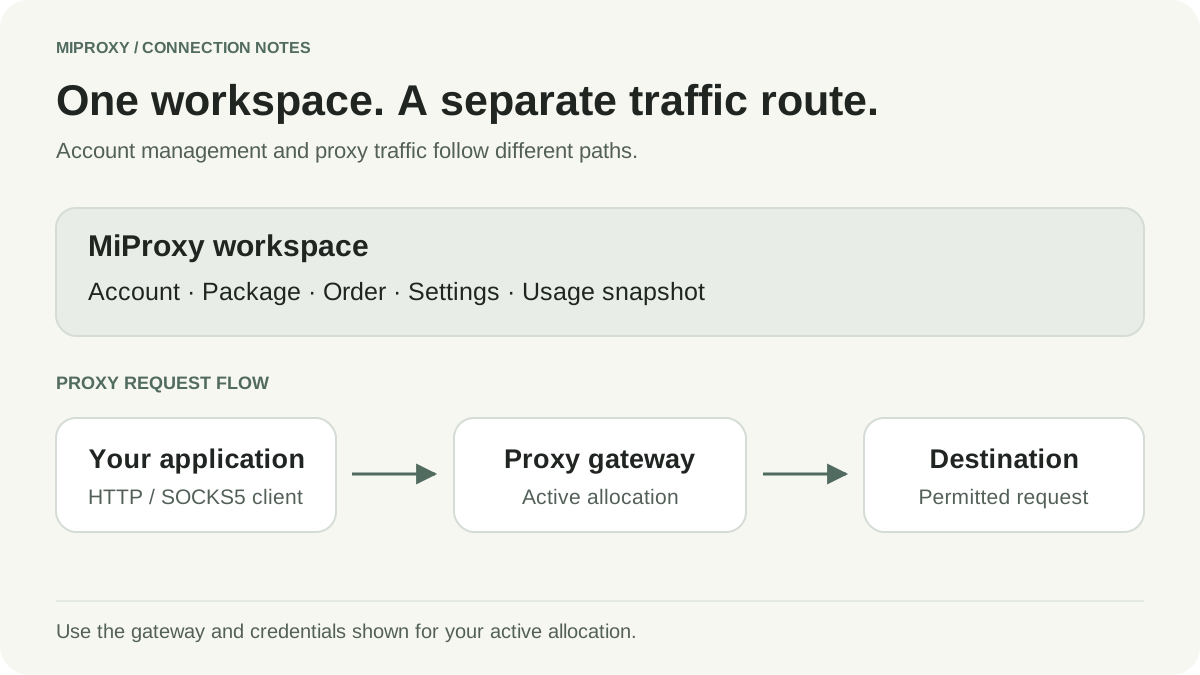
Use a permitted destination with a known expected response. Confirm authentication and protocol first, then examine the response and observed location. Record the time of the check and keep the settings consistent while you compare results.
The residential validation verified HTTP and SOCKS5, US country targeting and a brief sticky-session sample. It does not establish state/city accuracy, sustained session stability, every allocation’s behavior or production reliability.
Set up Python Requests ↗Use proxies for permitted destinations and authorized research. Define the result you need before comparing connection types.
Review regional behavior on an application you own or have permission to test. Validate the observed location instead of assuming targeting proves it.
Collect approved data with explicit rate limits, response checks and retry budgets. Measure correct records, not just successful status codes.
Compare raw proxies with a managed SERP API when you need parsed search data. Include parsing, localization and maintenance in the decision.
| What matters | Bandwidth allocation | Time-based access |
|---|---|---|
| Measured by | Data transferred, in GB | A defined access period |
| Expiry | No supplier expiry for bandwidth products; check order terms | Ends after the stated duration |
| Before choosing | Estimate bytes, retries and output size | Verify duration, concurrency and acceptable-use limits |
A residential proxy uses an exit address associated with residential internet access. That describes the IP origin; it does not guarantee permission to access a destination or a particular response.
The historical residential check verified HTTP and SOCKS5 connectivity, US country targeting and a brief sticky-session sample. The builder exposes supported targeting and session controls; state/city accuracy and long-term session stability require separate validation.
Review package details and connection settings in your workspace.
Rotation changes the exit between requests according to the supported session behavior. Sticky sessions aim to keep continuity for a task. Choose according to the destination and workflow; sticky settings do not guarantee an exit address will never change.
See the package quantity, unit and access terms before proceeding.